A look under the hood of Airfm, and the design choices that make it tick.


In the first post of this series, I introduced Airfm, a tool designed to streamline the workflow for drone designers. Now, let’s take a deep dive into the architecture of Airfm, and explore the technology stack and design philosophy that make it possible.

The Tech Stack: Qt/QML and Python

Airfm is built on two powerful technologies: Qt/QML for the frontend, and Python for the backend. This combination allows for a clean separation of concerns, with each technology playing to its strengths.

  • Qt/QML for the Frontend: Qt is a mature and powerful framework for creating cross-platform applications with native-like performance. QML, a declarative language that is part of the Qt framework, is used to design the user interface. QML allows for the creation of fluid, animated, and visually appealing user interfaces, which is a key goal for Airfm.

  • Python for the Backend: Python is a versatile and powerful language with a rich ecosystem of libraries for scientific computing and data analysis. In Airfm, Python is used as the “engine” that drives the application. It handles data processing, aerodynamic calculations (through integration with tools like XFOIL), and all the business logic of the application.

The Model-View-Delegate (MVD) Architecture

Airfm’s architecture is based on the Model-View-Delegate (MVD) pattern, which is a variation of the more traditional Model-View-Controller (MVC) pattern. In QML, the MVD pattern is a natural fit for creating data-driven applications.

  • Model: The Model represents the data of the application. In Airfm, the models are implemented in Python and expose data to the QML frontend. For example, there are models for airfoils, wings, and project data.

  • View: The View is responsible for displaying the data to the user. In Airfm, the views are implemented in QML. For example, there is a view that displays a list of airfoils, and another view that displays an interactive plot of an airfoil.

  • Delegate: The Delegate is responsible for rendering each item in the model. For example, in the airfoil list view, the delegate would be a QML component that displays the name and a small thumbnail of each airfoil.

This architecture allows for a clean separation between the data (Model), the presentation (View), and the rendering of each item (Delegate). This makes the application easier to develop, test, and maintain.

Case Study: The Airfoil Model and View

Let’s take a look at a concrete example of the MVD pattern in Airfm. The Airfoil_new class in models/airfoils.py is a Python class that represents an airfoil. It inherits from QObject, which is a base class for all Qt objects.

class Airfoil_new(QObject):
    dataChanged = Signal()

    def __init__(self, airfoil_path=None, parent=None):
        super().__init__(parent)
        self._data: list[list[float]] = []
        if airfoil_path:
            self.load(airfoil_path)

    @Slot(str)
    def load(self, filename:str):
        # ... loads airfoil data from a file ...
        self._update_qml_data()

    def _update_qml_data(self):
        X, Y = self.order_points()
        combined = np.vstack((X, Y)).T
        self._data = [[float(x), float(y)] for x, y in combined]
        self.dataChanged.emit()

    data = Property('QVariantList', fget=getData, notify=dataChanged)

    def getData(self):
        return self._data

Line-by-line explanation:

  • class Airfoil_new(QObject):: This defines a new class called Airfoil_new that inherits from QObject.
  • dataChanged = Signal(): This defines a signal called dataChanged. This signal will be emitted whenever the airfoil data changes.
  • __init__: The constructor for the class. It initializes the _data attribute to an empty list and loads the airfoil data if a path is provided.
  • @Slot(str): This decorator marks the load method as a slot that can be called from QML.
  • load: This method loads the airfoil data from a file and calls _update_qml_data to update the internal data structure and emit the dataChanged signal.
  • _update_qml_data: This method processes the raw airfoil data and stores it in the _data attribute in a format that can be easily consumed by QML. It then emits the dataChanged signal.
  • data = Property('QVariantList', fget=getData, notify=dataChanged): This defines a property called data that is exposed to QML. The fget argument specifies that the getData method should be called to get the value of the property, and the notify argument specifies that the dataChanged signal should be emitted whenever the value of the property changes.
  • getData: This method returns the value of the _data attribute.

Now, let’s look at how this model is used in the QML code. The AirfoilLibraryPage.qml file contains a Repeater that is used to display a list of airfoils:

Repeater {
    model: airfoilListModel ? airfoilListModel : 0
    delegate: AirfoilInfoCard {
        Layout.fillWidth: true
        title: model.name
        subtitle: qsTr("Available in library")
        description: qsTr("Airfoil geometry ready for loading and transformation workflows.")
        fileUrl: model.path
    }
}

Line-by-line explanation:

  • Repeater: This is a QML component that creates a new instance of its delegate for each item in a model.
  • model: airfoilListModel ? airfoilListModel : 0: This sets the model for the repeater. The airfoilListModel is a Python object that is exposed to QML. It contains a list of Airfoil_new objects.
  • delegate: AirfoilInfoCard: This sets the delegate for the repeater. The AirfoilInfoCard is a custom QML component that is used to display the information for a single airfoil.
  • title: model.name: This binds the title property of the AirfoilInfoCard to the name property of the current item in the model.
  • fileUrl: model.path: This binds the fileUrl property of the AirfoilInfoCard to the path property of the current item in the model.

This example shows how the MVD pattern allows for a clean separation of concerns between the Python backend and the QML frontend. The Python code is responsible for managing the data, and the QML code is responsible for displaying it.

How Python and QML Communicate

One of the key challenges in building a hybrid application like Airfm is enabling communication between the Python backend and the QML frontend. Qt provides a powerful mechanism for this: signals and slots.

  • Signals: Signals are emitted by an object when its state changes. In Airfm, Python objects can emit signals to notify the QML frontend of changes in the data.

  • Slots: Slots are functions that can be connected to signals. When a signal is emitted, the connected slot is automatically executed. In Airfm, QML components can have slots that are connected to signals from Python objects.

This mechanism allows for a loosely coupled architecture, where the Python backend and the QML frontend can communicate without having direct knowledge of each other.

Design Philosophy

The design philosophy behind Airfm is to create a tool that is both powerful and easy to use. The key principles are:

  • User-Friendliness: The user interface should be intuitive and easy to navigate, even for users who are not familiar with aerodynamic analysis tools.
  • Interactivity: The application should be highly interactive, with real-time updates and visual feedback.
  • Extensibility: The architecture should be flexible and extensible, allowing for the addition of new features and functionality in the future.
  • Open Source: Airfm is an open-source project, and contributions are welcome.

The Screens

Here’s a quick look at some of the screens in Airfm:

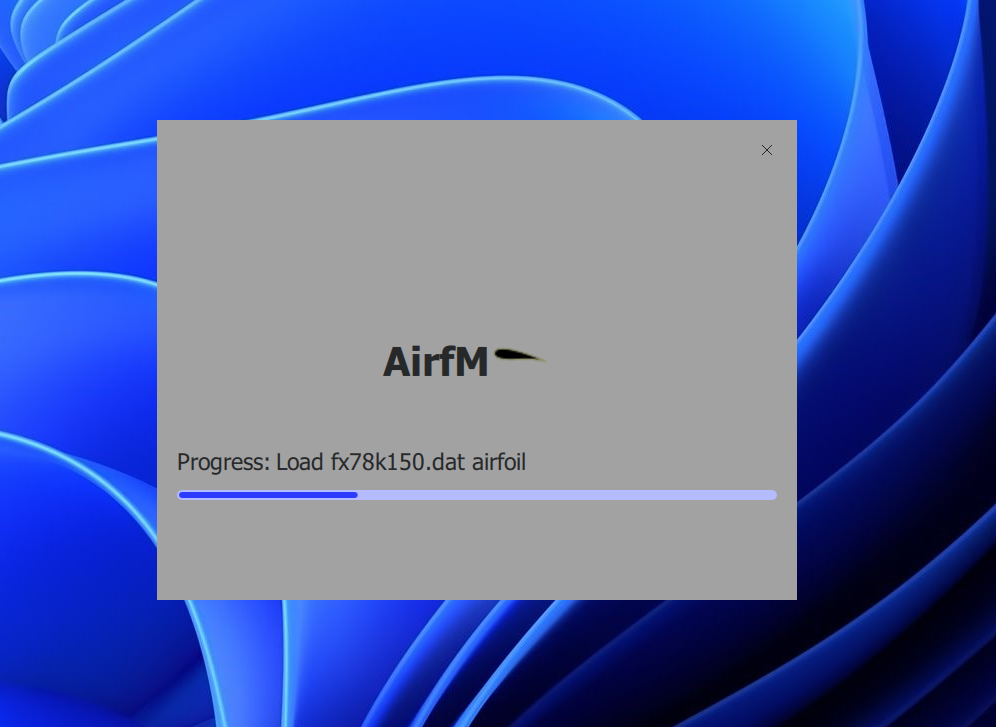
Splash Screen: The first thing you see, setting the stage for a professional and polished experience. Splash_screen

Main Screen: The central hub for interacting with airfoils, featuring an interactive plot and customizable settings. Main_screen

Select Project: A simple and intuitive way to manage your projects and saved sessions. Select_Project

What’s Next?

In the next post in this series, we’ll take a closer look at how Airfm integrates with XFOIL, the powerful aerodynamic analysis tool. We’ll explore the challenges of integrating a command-line tool into a GUI application, and how we use Python’s subprocess module to make it happen.


Thanks for reading! If you’re interested in learning more about Airfm, or if you’d like to contribute to the project, please visit the GitHub repo.